Centralizing Documentation and Context with Kendis Collection Links

To Program Managers, RTEs, Product Managers, Scrum Masters, and Product Owners, we need to talk about context.
You’ve built your Agile Release Train (ART) or Department Collection, you've planned your work, and you’re managing dependencies perfectly in Kendis. But let's be honest: that crucial supporting documentation, the official artifacts, and the architectural blueprints, the things that ground every decision live everywhere else.
You are constantly battling the Digital Deluge:
- SharePoint holds the official governance.
- Confluence documents the complex architectural decisions.
- Mural or Miro hosts the deep-dive team-level mapping sessions.
- Excel manages the final capacity data or financial forecasts.
- PowerPoint contains the executive vision and strategy.
This scattered landscape forces every role to waste time searching instead of delivering value. When you can’t quickly access the definitive version of a key document, decisions slow down, alignment erodes, and even the most synchronized teams lose the big picture. We see you clicking between ten different browser tabs just to start your day, and we feel your pain.
High Stakes:
What happens when those critical links are hidden in a stale Teams channel, buried in a four-month-old email thread, or duplicated in two different SharePoint sites? Chaos, that’s what.
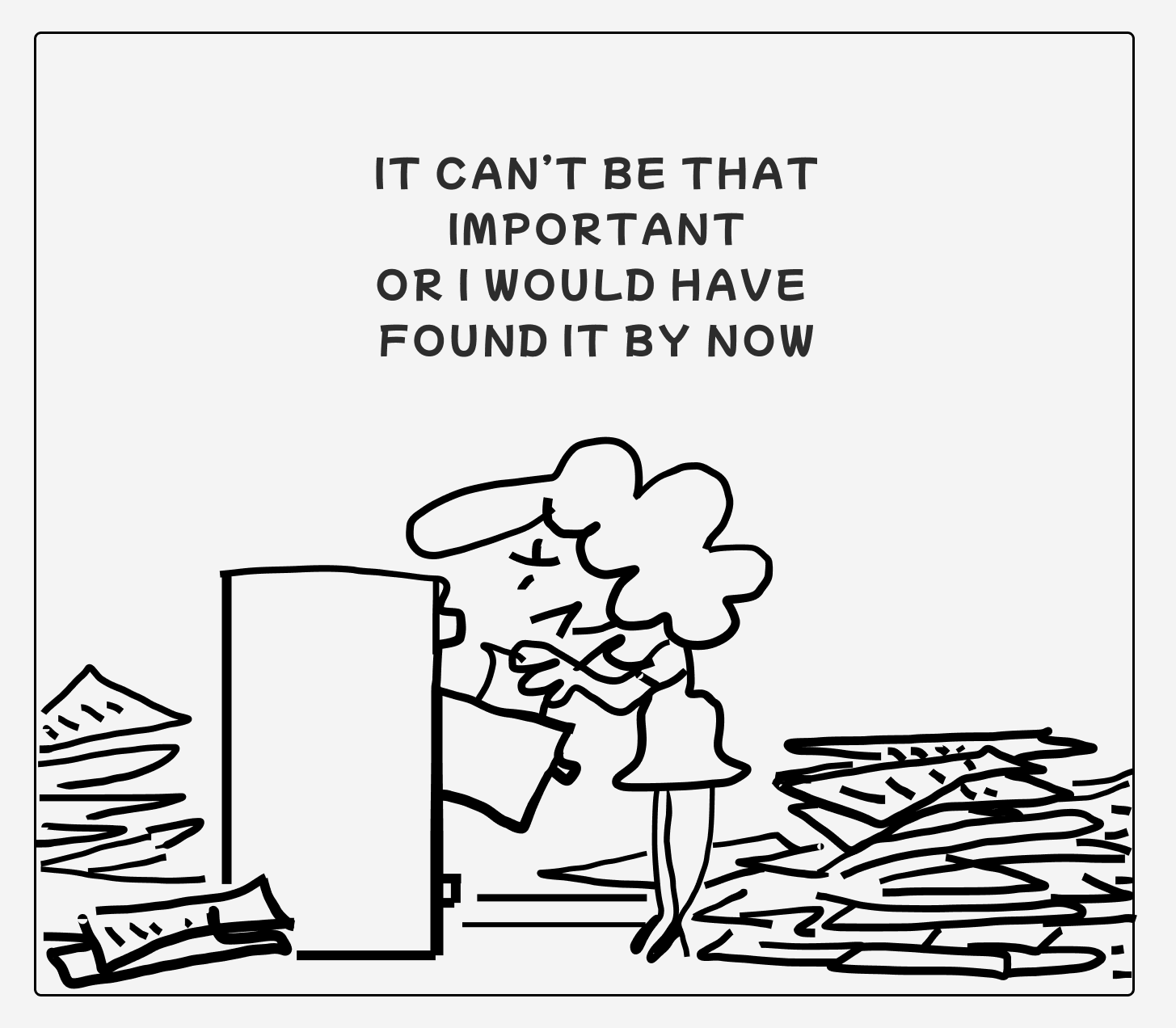
The RTE's Mid-Presentation Panic
Imagine the RTE's Mid-Presentation Panic. You're about to present the quarterly progress to the Steering Committee, and you need the final, signed-off Q4 Executive Strategy Deck. You finally find a link in a thread marked "FINAL VERSION!!!" but it's the wrong one. The consequence? The slides still contain the old company logo, forcing a panicked, five-minute download and edit session while the VP of engineering is staring at you, tapping their pen, and asking why the numbers in your overview don't match the numbers on the screen.
The Product Manager's Feature Fiasco
Consider the Product Manager's Feature Fiasco. The PM is launching a major platform update across four global markets. During feature sign-off, the team needs to confirm non-negotiable regulatory specifics for the German market, but the link to the definitive "Country Compliance Requirements" document is buried in an archived SharePoint folder that only the Legal team can access. Lacking immediate confirmation, the team assumes the "default" US-based design is sufficient. The consequence? They wasted two full sprints building the feature, only for the final QA check to reveal a mandatory data handling rule specific to German law was missed. The feature is blocked from launching across all European markets, forcing an immediate, costly, and emergency redesign. The investment is wasted, and the launch date is shattered, all because the foundational legal context was a stale link away.
The Scrum Master's Training Turbulence
When a new developer joins the team, the Scrum Master's Training Turbulence begins. The Scrum Master needs to share the essential onboarding resources: the definitive Architectural Decisions Log, the team’s Working Agreement, and the link to their core System Flow Diagrams. These critical links are scattered across different OneDrive and Confluence pages. The consequence? The developer spends their first two days studying an outdated set of flow diagrams, absorbing an architecture that was deprecated six months ago. They start writing code based on obsolete standards, leading to major rework and delay in their first contribution. The wasted time and effort turn a coachable moment into a week of frustration.
The Product Owner's Painful Pity Party
Finally, think of the Product Owner's Painful Pity Party. A critical dependency requires an external team to integrate with your product's design. The PO quickly emails them the link to the Figma Prototype, but it's the wrong, deprecated version. The external team integrates against the old design, and the bug is only found during the final System Demo. The dependency re-work forces three teams to pull an extra weekend sprint, and the launch date starts to look like a polite suggestion rather than a hard deadline.
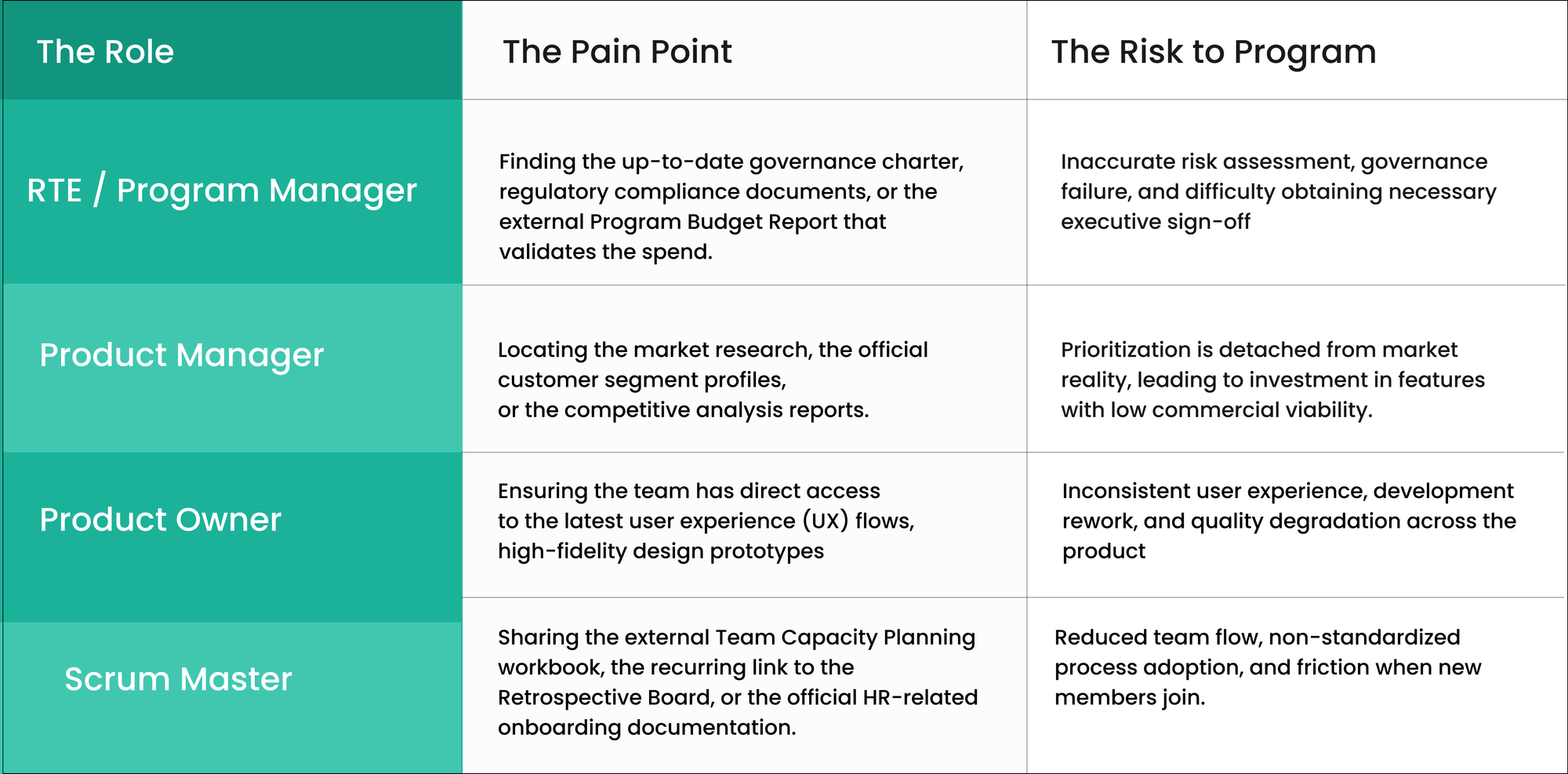
The Context Gap: How Digital Sprawl Impedes Every Role
The constant need to hunt down external, validated information impacts every role managing the work within a Collection.
The Solution: Anchor Your Context with Kendis Collection Links
Your Collection is the central command center for what you deliver and when. The new Collection Links functionality transforms this hub into the definitive single source of truth for all supporting context.
This feature allows you to permanently anchor the most crucial external documents and boards right inside your Collection, instantly connecting your planning, tracking, and execution with the essential information that justifies it.
Here is how Collection Links solves the digital sprawl for everyone in the ART:
For Architecture & Design (The Blueprints)
Teams often lose track of key architectural decisions made outside of the planning tool.
- Architects / Technical Leads: Anchor a link to the definitive System Architecture Diagram (Miro/Mural) or the API Documentation Repository (Swagger/Postman) relevant to this Collection's components.
- Designers: Add direct links to the master Design System (Figma/Sketch) or the latest Usability Test Findings that impact feature design.
For Compliance & Strategy (The Guardrails)
Program roles need immediate access to documents that define boundaries and strategic intent.
- RTEs / Program Managers: Link the official Financial Costing Sheet for the program, the mandatory Information Security Policy document, or the Executive Quarterly Review Presentation.
- Product Managers: Anchor the Regulatory Compliance Checklist or the link to the external Portfolio Roadmap for visibility beyond the current PI.
For Team Productivity (The Enablement)
Scrum Masters and Product Owners can standardize team processes without relying on a scattered email or chat history.
- Scrum Masters: Use links for Team Working Agreements, the external Learning & Development Plan, or a central repository of approved Agile Training Materials.
- Product Owners: Link to a folder containing pre-approved story templates or the external system that houses customer feedback videos/transcripts.
Conclusion: Move from Searching to Scaling
The new Collection Links is a simple feature with a profound impact: it eliminates the time-consuming process of hunting for information. By anchoring the critical, external context right inside your Kendis Collection, every stakeholder, from the Program Manager to the Product Owner can focus on delivery, confident that they are always operating from the single, most relevant source of truth.
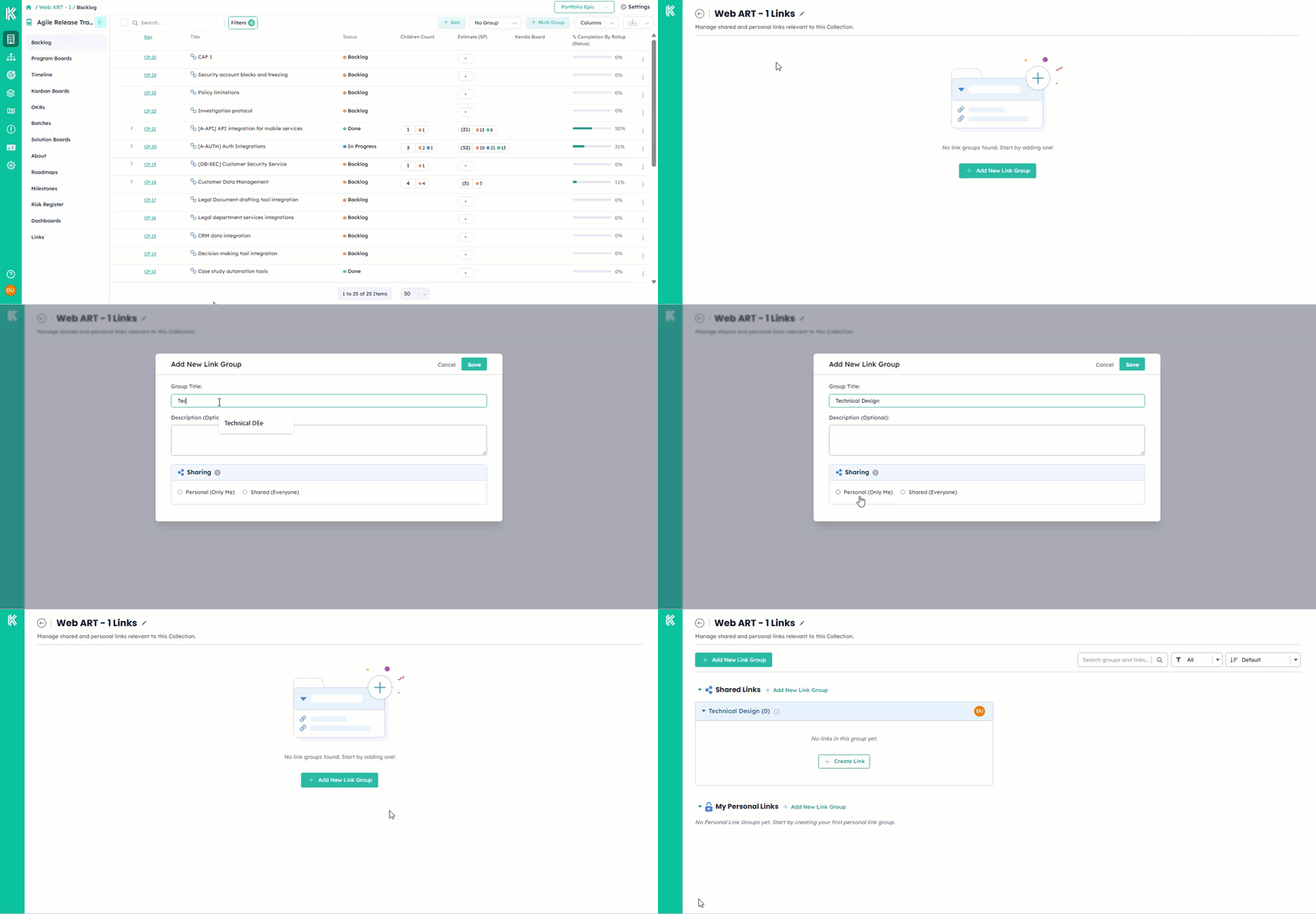
Stop managing a patchwork of bookmarks and start running your train with unified context.
To learn how to set up your Collection Links